
First Login Experience

The first time you open SiteTrax.io with Intelligence enabled, you are askedinvited to complete a short profile interview. It takesrecords your priorities and personalizes the native coverage review. Publishing also makes selected facts and priorities available for a fewconnected minutesassistant andto retrieve when relevant; it isdoes whatnot makesguarantee laterhow answersthat specificassistant toanswers.
1. The invitation
SiteTrax.io opens a welcome panel over the dashboard explaining that Intelligence helps you understand what is happening across your operation, identify exceptions faster, and focus attention where it matters. It notes that eight short questions tailor Intelligence to your priorities and that your draft is saved so you can resume later. Select Start interview.
If you dismiss the panel, a Finish setup card remains in the left sidebar showing how far you got, with a Resume button.
2. The eight questions
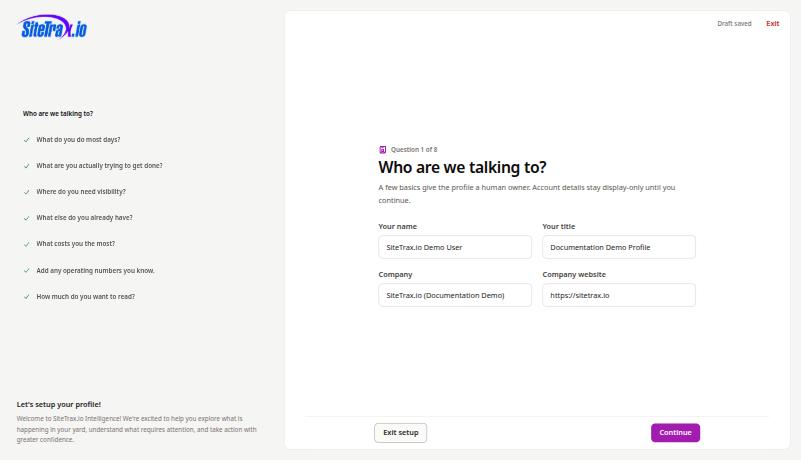
Progress is listed down the left, and you can jump back to any answered question. A draft-saved indicator confirms your work is held as you go.
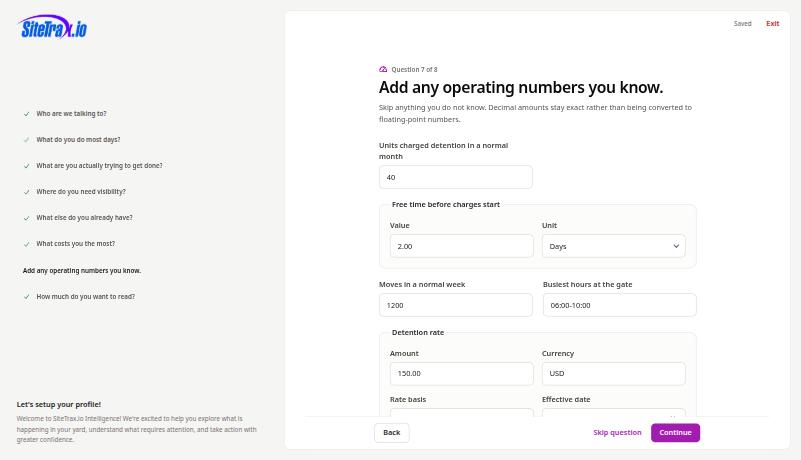
3. Question seven adapts
The operating-numbers question changes based on the costs you selected. Flag detention and per diem, and SiteTrax.io asks for units charged in a normal month, free time before charges start, the detention rate with its currency and basis, and an effective date. Decimal amounts are stored exactly rather than converted to floating-point values.
4. Review and publish
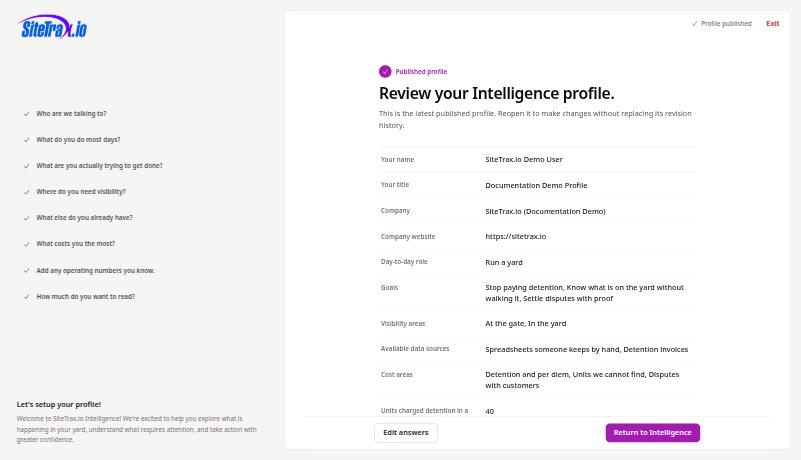
The review screen lists everyyour answersaved draft answers before anythingyou is committed,publish, together with the calculation timezone inferred from your browser. That timezone is saved as context for date and time calculations and is not treated as a confirmed facility timezone.
Select Publish profile. Publishing creates an immutable revision. You can reopen it later without replacing its history.
5. Your working brief
After publishing, SiteTrax.io shows the working brief generated from your answers. ThisThe isbrief, the context a connected assistant receives. Customcustom AI instructions and response-style preferences are saved with the revisionrevision, but keptare separateexcluded from the brief.public MCP profile response. A connected assistant can retrieve a compact selection of published facts and priorities when relevant. Ask for your preferred tone or level of explanation directly in the assistant.
Select Return to Intelligence to reach the hub.
Publishing a profile unlocks the normal personalized hub. It does not connect an assistant. Ordinary authorized MCP queries can work without a profile. Before starting assistant setup, verify your SiteTrax.io account email, then follow Account access and OAuth.
Only answers you explicitly confirmed are published. Values shown from your account for display are not silently promoted into stored facts.