
Connecting ChatGPT

SiteTrax.io publishes an app for ChatGPT. Connecting it lets you ask operational questions in ChatGPT and get answers drawn from the SiteTrax.io projects your account is permitted to see.
Before you start
Connect from SiteTrax.io
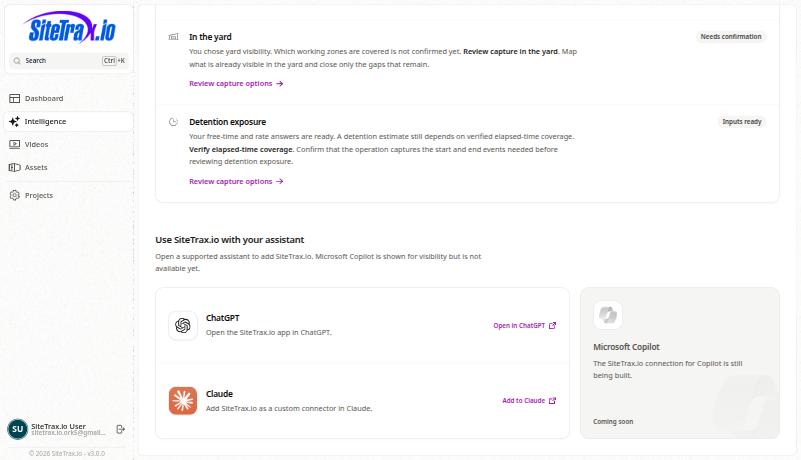
ThisOpen the published SiteTrax.io app in ChatGPT to start directly. A published Intelligence profile is theoptional shortestfor pathordinary andMCP itaccess. isIf you already use the onepersonalized toIntelligence use unless your organization requireshub, its ownChatGPT configuration.card opens the same listing:
Authentication is completed through the SiteTrax.io authorization screen. Never type a SiteTrax.io password into an app configuration field, and never paste access tokens into a prompt.
Configuring your own connection
Organizations that manage their own custom apps can point ChatGPT at the SiteTrax.io remote MCP endpointendpoint. instead.This developer-mode path is separate from connecting the published listing above; its plan and workspace restrictions do not describe every published-app installation.
Endpoint: https://mcp.sitetrax.io/mcp
OpenAIFor documentsa thiscustom asMCP developerconnection, mode.follow InOpenAI's outline:current andeveloper-mode authorizedinstructions. user enablesEnable developer mode underwhere appyour settings,account createsand workspace policy allow it, add the appSiteTrax.io withendpoint, review the endpointdiscovered tools and itscomplete metadata,OAuth selectsauthorization. This custom setup is separate from installing the authenticationpublished method,SiteTrax.io scanslisting.
Check the connection
Ask something you can verify by hand, and name SiteTrax.io in the prompt.
Using SiteTrax.io, list the projects I have access to.
IfCompare the returned projects comewith back that match what you seeProjects in the application,application under the connectionsame isaccount. workingMatching results confirm read access for that request; the hub card or a visible app alone does not confirm authorization. An empty list can mean no projects are shared with the account. If account verification interrupted or expired the connection, finish verification and scopedstart correctly.again from ChatGPT.
What ChatGPT can reach
Only what your SiteTrax.io account can reach. Connecting an app does not widen SiteTrax.io permissions. See Using MCP with SiteTrax.io for the capability groups, and the SiteTrax.io MCP Server reference for the full technical contract.
If answers comeare backgeneric, genericcheck ratherthe thanauthorized tailoredaccount, toshared projects, whether that account has a published profile, and whether ChatGPT actually retrieved it. The public profile tool returns selected facts and priorities; it does not supply your operation,saved checkworking thatbrief youor authorizedresponse-style withinstructions. Reconnecting only helps when the same SiteTrax.io account thator publishedauthorization youris Intelligence profile.wrong. See Troubleshooting Connections.
Reading operational data, published profile context, notification lists and delivery history uses sitetrax:read. Creating an alert or digest, or cancelling one, also requires sitetrax:notifications:write. ChatGPT may request that additional approval when you ask for the action, or during initial setup. Approve only the access your workflow needs. See Account Access and OAuth and Alerts and Scheduled Digests.