
Organization Configuration
The settings that shape what SiteTrax.io captures and where that data goes are held on the project.
Project basics
Open Projects and select a project to see its status, shortcuts to its dashboard, videos and assets, its users, and its integrations. A project represents a site, yard, ramp, gate or facility.
Integrations
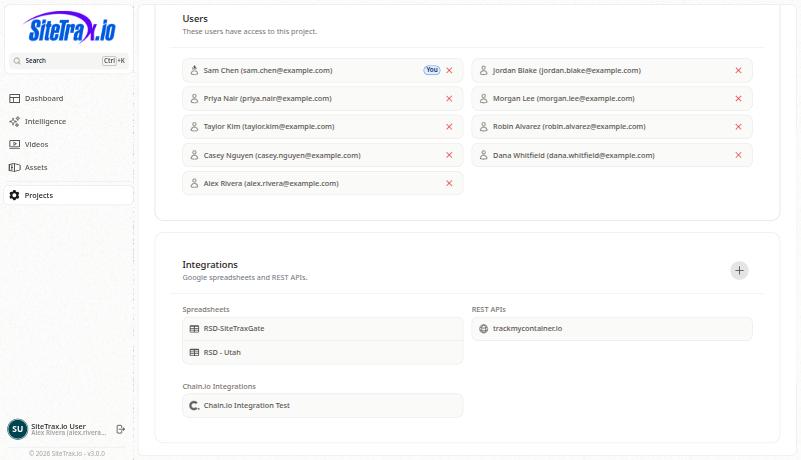
Each project can push its data outward through three routes.
These are outbound data destinations and are separate from the MCP server,connection whichused is an inbound read path forby assistants. AddingMCP provides authorized queries and analytics, plus narrowly permitted personal notification management. Connecting an assistant connection does not add or change them,spreadsheet, andREST removingAPI, aor spreadsheetChain.io doesdestinations.
Configuration guides for each live on the SiteTrax.io Integrations shelf.
Capture configuration
Processing settings, cameras, gate configuration, status filters and regex substitutions are stored per project. They determine what gets read, how identifiers are normalized, and whether direction is meaningful at that site. Because they shape every downstream number, record changes to them: a mid-period camera change moves volume for reasons unrelated to the business.
Capture hardware and installation guidance is on the SiteTrax.io Capture Solutions shelf.