Navigation and Layout
Retired page. This documents the legacy SiteTrax.io service portal, which has been replaced by SiteTrax.io Intelligence at app.sitetrax.io. It is kept for reference only and is no longer maintained. For current guidance, see the SiteTrax.io Intelligence shelf.
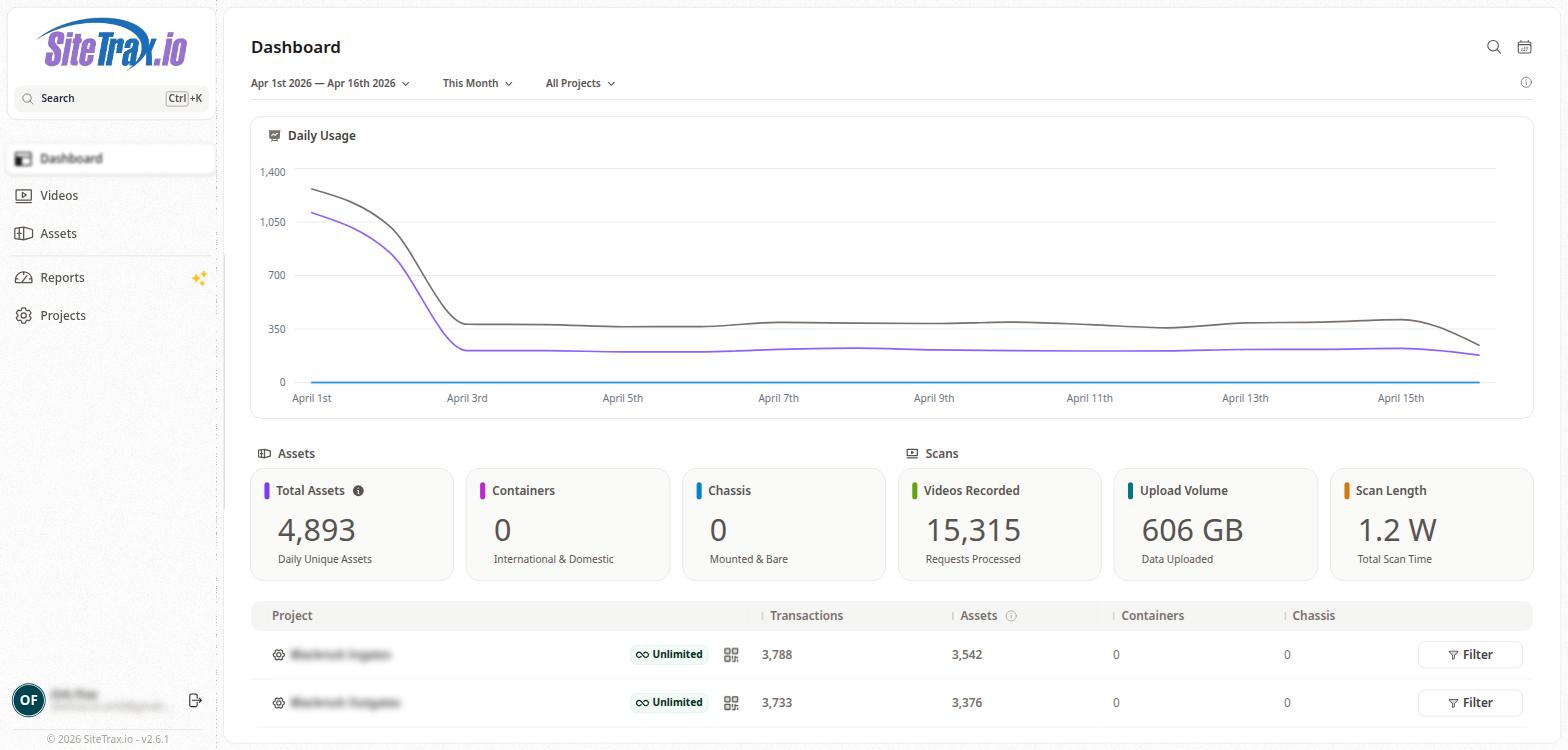
The Service Portal uses a sidebar-based navigation layout. The left sidebar contains the SiteTrax.io logo at the top, a global search bar with keyboard shortcut support (Ctrl+K), and four primary navigation links: Dashboard, Videos, Assets, and Projects.
The main content area to the right of the sidebar displays the active page content. Most pages share a common toolbar at the top that includes a date range selector, a time period filter, and a project filter. The date range selector allows users to define a custom start and end date, while the time period dropdown provides quick presets such as This Month, Previous Month, This Week, Last 30 Days, and Last 7 Days. The project filter defaults to "All Projects" but can be scoped to a specific project.
A search icon and calendar icon are available in the top-right corner of the main content area for quick access to search and date selection.