
Connecting Claude

SiteTrax.io connectsClaude to Claude as a custom connector over the remote MCP endpoint. Once it is added, you can ask operational questions inabout Claude and get answers scoped to yourauthorized SiteTrax.io projects.observations and analytics. The remote connector makes SiteTrax.io tools available to Claude; SiteTrax.io continues to enforce your account’s project access.
Before you start
Use
Connect from SiteTrax.io
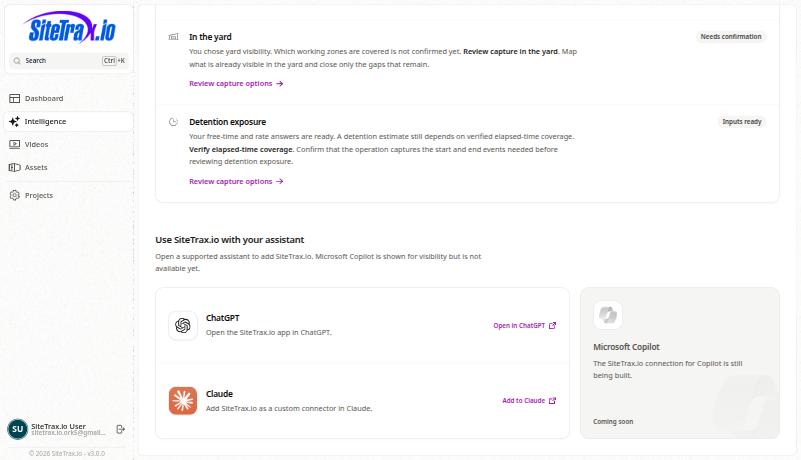
You can open the SiteTrax.io connector setup in Claude directly, then confirm the details and connect.need. A published Intelligence profile is optionaloptional. forIn ordinarymanaged MCPClaude access.workspaces, Ifa youpermitted alreadyowner useor administrator must add the personalizedconnector Intelligencebefore hub,members itsconnect Claudetheir cardindividual opensaccounts.
Add and authorize the same setup:connector
Sign in atapp.sitetrax.ioand openIntelligence.
Adding it manually
If you would rather add it by hand, or the deep link is blocked by your browser:
https://mcp.sitetrax.io/mcp.
Turn
Anthropic’s itcurrent oncustom-connector inguide covers individual and managed-workspace setup. Labels and available authentication choices vary by account. Remote connector requests originate from Anthropic’s cloud, including when you use Claude Desktop; a conversationprivate-network-only
Addingendpoint aneeds connectorcompatible makes it available; it is enabled per conversation. Use the plus button in the message box, choose connectors, and switch SiteTrax.io on for that conversation.connectivity.
Check the connection
Using SiteTrax.io, list the projects I
Do not create or change anything.havecanaccessaccess.to.
Compare the returned projectsresult with Projects in the application under the same account.account Matchingin resultsapp.sitetrax.io. confirmThen read access for that request; addingrequest a known equipment observation with its time, timezone, project and record link. An installed connector alone does not completeprove OAuth.successful Anauthorization.
Use the account.result Ifin accountyour verificationwork
UsingorSiteTrax.io,expiredfind theconnection,latestfinishobservationverificationof trailer [complete identifier] at [project]. Draft a short customer-service response using only the returned evidence. Include the record link andstartidentifyagainany missing evidence. Do not send the response.
A draft is different from Claude.a sent message. Sending through another system requires a separately connected tool and authorization.
Permissions and troubleshooting
StandardRead queries,access selectedsupports publishedauthorized profilequeries context,and notification lists and delivery history use read access.history. Creating an alert or digest, or cancelling one,supported needsalerts readand accessdigests plusadditionally requires sitetrax:notifications:write. The client must request and receive that extra permission and support it in its registration;scope; reconnecting with the samea read-only request does not add it. ItConfirm maythe beexact requestedproposed initiallynotification before creation.
If Claude gives a general answer, confirm SiteTrax.io is enabled for the conversation and ask it to use the tools. If the project list differs from the application, check the connected account and sharing. See Troubleshooting Connections.
AuthorizeVendor withreference thechecked SiteTrax.io7 October 2026. Customer-account thatinstallation holds your project access. If you want published profile context, use the account that published it and ask Claude to retrieve that context. Another account may have different projects and its own profile. Selected published facts and priorities are available to the assistant; the saved working brief, custom instructions and response-style preferences arewas not returnedexercised byin thethis publicdocumentation profile tool.review.