SiteTrax.io MCP Server
Connect AI assistants and MCP-compatible applications directly to SiteTrax.io operational data and SiteTrax.io Intelligence.
Overview
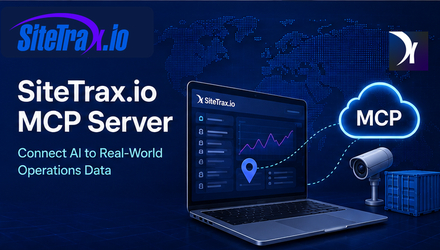
The SiteTrax.io Model Context Protocol (MCP) server provides secure access to SiteTrax.io operational data through compatible AI applications and MCP clients.
The MCP server lets authorized users query the same SiteTrax.io projects and operational information that their SiteTrax.io account is permitted to access. This can include asset observations, project activity, operational metrics, exceptions, images, video metadata, equipment movement history, camera health, and other SiteTrax.io Intelligence capabilities.
SiteTrax.io remains the system of record. The MCP server provides controlled access to SiteTrax.io data and capabilities based on the authenticated user's permissions.
MCP Server Endpoint
Use the following remote MCP endpoint:
https://mcp.sitetrax.io/mcp
The SiteTrax.io MCP server uses HTTPS and is designed for remote MCP clients that support Streamable HTTP.
Requirements
To connect to the SiteTrax.io MCP server, you need:
-
An active SiteTrax.io account with verified email. Complete verification before starting the assistant connection.
-
Access to at least one SiteTrax.io project, site, or yard for useful operational answers. OAuth can succeed with no shared projects and return an empty project list.
-
An MCP-compatible client that supports remote HTTPS MCP servers.
-
OAuth authentication support in the MCP client.
-
Any SiteTrax.io permissions required for the data or capabilities you want to use.
Your MCP client can only access SiteTrax.io information available to your authenticated SiteTrax.io account. A published Intelligence profile is optional for ordinary MCP access. Before connecting, confirm the intended account in the application. Native application sign-in and external-assistant OAuth approval are separate steps. See Account Access and OAuth.
Connect to SiteTrax.io
The exact setup interface depends on the MCP client you use.
In most compatible clients:
-
Open the application's MCP, integrations, connectors, or tools settings.
-
Add a new remote MCP server.
-
Enter the SiteTrax.io MCP endpoint:
https://mcp.sitetrax.io/mcp -
Start the connection.
-
When prompted, sign in to SiteTrax.io.
-
Review the requested SiteTrax.io permissions.
-
Authorize the connection.
-
Return to your MCP client.
-
Confirm that SiteTrax.io tools are available, then ask: "Using SiteTrax.io, list the projects I have access to." Compare the result with Projects in the application under the same account.
No SiteTrax.io password should be entered directly into the MCP configuration. Authentication is completed through the SiteTrax.io OAuth authorization process.
Authentication and Permissions
SiteTrax.io uses OAuth-based authorization for protected MCP capabilities.
Permissions are scope-based. The tools available to an MCP client depend on the scopes approved for that connection.
Read Access
Standard operational queries use SiteTrax.io read access.
Read access can include:
-
Projects and sites shared with the user.
-
Asset observations.
-
Container, chassis, trailer, and other supported asset identifiers.
-
Project activity.
-
Asset history.
-
Operational aggregates.
-
Status and exception information.
-
Camera and processing health.
-
Detection images and available media metadata.
-
SiteTrax.io product and operational reference information, selected published profile context, your notification list and notification delivery history.
Read access does not grant access to SiteTrax.io projects that have not been shared with the authenticated user.
Additional Capabilities
Some MCP integrations can support additional SiteTrax.io capabilities, such as notifications or scheduled digests.
Creating a detection alert, creating a scheduled email digest, or cancelling one of your notifications requires read access plus sitetrax:notifications:write. Listing notifications and reading delivery history requires only sitetrax:read. The additional write permission may be requested during initial connection or later, depending on the client.
Grant additional permissions only when the MCP client and intended workflow require them.
What You Can Ask
The SiteTrax.io MCP server supports natural-language interaction with SiteTrax.io operational data.
Examples include:
Find an Asset
Prompt
Where was container SITU 123456 7 last observed?
Result
SiteTrax.io can return the most recent authorized observation of that asset, including available project, time, capture, and operational metadata.
Review Site Activity
Prompt
Summarize activity at my SiteTrax.io sites for the last seven days.
Result
SiteTrax.io can calculate activity across the projects available to your account and return operational totals and trends for the requested period.
Analyze Asset Types
Prompt
Show today's SiteTrax.io detections by asset type.
Result
SiteTrax.io can provide server-calculated totals and breakdowns for the requested sites and time period.
Review Processing Status
Prompt
Break down today's detections by status code and asset type.
Result
SiteTrax.io can return processing results grouped by status and asset type so that the results can be interpreted correctly.
Find Exceptions
Prompt
Show me records that may require review today.
Result
SiteTrax.io can retrieve status-selected records from your shared projects. The default review queue selects non-A0 rows broadly; interpret the result type and status before classifying a row as a genuine concern.
Check Operational Health
Prompt
Were there any unusual volume gaps at my sites this week?
Result
SiteTrax.io can identify low or zero-volume UTC days and repeated or multi-source identifier-text groups. These are triage signals: reduced activity does not prove an outage, and a repeated-text group does not prove duplicate physical equipment.
Analyze Equipment Movement
Prompt
What was the observed time between gate-in and gate-out for trailers this week?
Result
With identifiable equipment, defined entry/exit or intermediate stages, and an agreed maximum visit duration, SiteTrax.io can calculate completed observed visits and average, median and percentile durations. It returns pairing assumptions and incomplete-observation counts alongside the result.
Available Capability Groups
The tools available to a specific MCP client vary with the approved scopes and client support. Read capabilities use sitetrax:read. Creating or cancelling notifications also requires sitetrax:notifications:write, which may be approved initially or later. See Alerts and Scheduled Digests for supported workflows.
| Capability group | What you can ask for |
|---|---|
| Projects and sites | Projects available to your account, project detail and configuration, recent activity, cameras and gate configuration, activity compared across projects |
| Assets | Asset observation search, the latest observation for an identifier, detailed asset records, asset history, detection images, video metadata, filtering by project, camera, type, status, identifier or time |
| Analytics | Stored-result counts, distinct recorded-identifier totals, grouping by project, camera, type, status or time period, ordered-stage visit and duration analysis, duration percentiles, inferred occupancy relationships, activity trends and potential anomalies |
| Review and exceptions | Processing status review, records matching defined review criteria, unreadable or unusual results, supplied-list exceptions, persisted audit feedback, and exact asset records when more context is needed |
| Video | Video search and individual video detail records |
| Camera and processing health | Recorded camera activity, first/last observations, status distributions and raw A0 shares across your shared projects; these do not directly measure hardware uptime or OCR accuracy |
| Reference information | Supported capture methods, SiteTrax.io data fields, asset types, processing status codes, terminology, operational metric definitions and product capabilities |
| Notification history | Listing your alerts and digests and reading their delivery history |
| Published profile context | Selected facts and priorities from your published personal profile; retrieval and use depend on the assistant |
| Notifications and digests | Creating detection alerts and scheduled email digests, and cancelling your notifications |
SiteTrax.io performs analytical reductions on the server. MCP clients do not need to download large raw datasets to calculate supported SiteTrax.io metrics. They can retrieve permitted supporting observations and records explaining an analytical result. Query results are returned to the assistant provider you choose; this is not a zero-disclosure connection.
For ordinary queries, choose a count or supported measure and up to two grouping dimensions. The separate totals cover the full resolved query window even when the displayed group list is capped. If an aggregate filter selects only some groups, the whole-window totals still include the other groups. Record pages are for retrieval and explanation; they must not be combined to reconstruct an unsupported analytical result.
Sequence analysis supports two to eight ordered stages and exactly one eligible equipment family per request: containers, chassis or trailers. It excludes unusable identifiers and synthetic pair placeholders. USDOT numbers identify carriers and cannot identify individual visits. Define the site boundaries, maximum visit duration and whether the report selects visits by entry, exit or both. A valid configured ingate/outgate project pair can supply the stages; ambiguous pairing requires clarification.
Duration results include completed-visit counts, average, minimum, maximum, median (p50), p75 and p90, plus consecutive-stage statistics. For example, p90 describes the duration within which 90% of the completed visits finished. Review open, expired, superseded and other excluded observations before comparing periods. Inferred occupancy at entry can be compared with completed duration, but an association does not prove causation or a facility capacity limit.
Supporting sequence records identify the contributing visits or event decisions and link them to authorized detections. Results carry a version so an assistant can detect when evidence has changed since the original aggregate. A partial record page is not the complete population. Queries that exceed server guardrails must be narrowed; they do not return a partial sequence calculation as complete.
A processing status is not automatically a physical-condition or operational exception. The asset type, status code and operational context must be interpreted together.
Notification creation and cancellation require the client to request and receive sitetrax:notifications:write in addition to read access. A read-only integration cannot perform those actions. Repeating the same read-only authorization request does not add permission. Check your provider’s dedicated setup section for its supported tools and consent flow.
The public Intelligence profile tool, sitetrax_intelligence_profile, returns selected facts and priorities from the authenticated user's latest published revision. It does not return drafts, the saved working brief, custom instructions or response-style preferences. A published profile is personal and optional for ordinary operational queries. Its project scope is the publication snapshot intersected with current sharing: revoked projects are removed, while newly shared projects do not automatically join the snapshot. Profile selection does not narrow OAuth authorization; an operational query still needs the intended project filter.
Curated reference lookup
sitetrax_reference_lookup returns sourced product guidance and logistics definitions from a curated reference corpus. It does not browse arbitrary URLs or retrieve live tariffs, availability, holds, releases, rates or invoices. Use the operational tools for current SiteTrax.io records and authoritative external sources for current contractual facts.
Research search and fetch
Compatible research clients can use search to find shared projects, matching equipment records, selected aggregate reports and reference entries, then call fetch with a returned ID. The compatibility report catalog includes status breakdown, weekly status trend and BIC-prefix carrier mix. Broader operational analytics use the named SiteTrax.io tools.
Research results include titles, IDs, URLs and source metadata where available. An MCP research URL identifies a returned result; it is not a promise of a public report webpage. A reference summary is distinct from a freshly retrieved source page, and citation display depends on the assistant.
Supported Capture Data
Depending on a customer's SiteTrax.io configuration, operational data can include information generated through SiteTrax.io capture methods such as:
-
SiteTrax.io Mobile
-
SiteTrax.io Snap
-
SiteTrax.io Gate
-
SiteTrax.io Drive
-
Other supported camera-based capture configurations
Detected or processed identifiers can include supported equipment and operational identifiers such as:
-
Intermodal container IDs
-
Chassis IDs
-
Trailer IDs
-
USDOT numbers
-
License plate information where supported by the configured solution
-
Other configured OCR or operational outputs
Available metadata can include timestamps, project information, camera information, location data, status information, images, direction, and asset relationships.
Images and Media
The MCP returns stored detection-image links, video metadata and thumbnail links where available. It does not download or base64-encode media, stream a clip, or generate temporary playback links. Open the corresponding authorized record in the SiteTrax.io application to review available recordings.
Media availability depends on:
-
The SiteTrax.io project configuration.
-
The authenticated user's access.
-
Record retention.
-
Redaction settings.
-
The type of capture.
For a redacted record, the MCP withholds media URLs and explicitly reports that media is redacted while returning permitted operational metadata.
Data Access and Security
The SiteTrax.io MCP server uses the permissions of the authenticated SiteTrax.io user.
Connecting an MCP client does not automatically give that client access to every SiteTrax.io customer, project, or site.
Users can only query information made available to their SiteTrax.io account.
Remote MCP traffic uses HTTPS.
OAuth access tokens are used to authorize protected requests. Do not place access tokens, passwords, or secrets into prompts.
Data Accuracy and Interpretation
SiteTrax.io returns operational observations and processing results.
Not every stored result should be interpreted as a verified physical event without considering its type and processing status.
For example:
-
A status can describe an OCR or validation outcome.
-
Some records can represent structural or synthetic pairing results.
-
A USDOT number identifies a registered motor carrier and does not uniquely identify an individual tractor.
-
An unreadable asset result does not by itself prove that the physical asset is damaged.
-
Timing between camera observations establishes an observed interval between defined boundaries. It does not automatically establish the cause of that interval.
When operational decisions depend on a result, use the supporting SiteTrax.io record and available evidence.
Check the resolved time window. Ordinary asset/video date filters snap to UTC-midnight business-day boundaries. A plain end date includes that whole UTC day; a midnight timestamp is an exclusive endpoint. A grouping timezone changes time buckets, not those date-filter boundaries. Sequence analysis also supports exact timezone-aware start/end timestamps for local calendar and daylight-saving-sensitive periods.
Ordinary asset and video queries without date bounds can cover all available history. Specify a period for a focused result. Asset calculations use scan time with creation time as a legacy fallback; video calculations use creation time. These query measures are separate from billing-account quota and invoice usage.
Troubleshooting
| Symptom | Likely cause and next step |
|---|---|
| The MCP client cannot connect |
Likely cause: The client does not support remote HTTPS MCP servers, or a network control is blocking the endpoint What to do: Confirm the endpoint is |
| Authentication never starts |
Likely cause: The client only supports local stdio MCP servers What to do: A stdio-only client cannot reach a remote endpoint. Use a client that supports remote MCP servers with OAuth |
| Authentication succeeds but no projects appear |
Likely cause: The signed-in account has no shared projects, or a different account was used What to do: Confirm you signed in with the intended SiteTrax.io account and that at least one project is shared with it. This is a sharing question rather than an authentication one |
| A tool reports that another OAuth scope is required | Check the actual granted permissions. Notification changes need sitetrax:notifications:write; read-only connections cannot perform them. Use your provider’s dedicated setup section for authorization steps. |
| An asset cannot be found |
Likely cause: Incomplete identifier, the wrong time window, or the project is not shared with your account What to do: Use the complete identifier, check its spelling, widen the time period, name the project or site, and confirm your account can reach that project |
| Results are too broad |
Likely cause: The prompt carries no operational context What to do: Add the project or site, a date or time range, the asset type, the camera, the status, or the exact equipment identifier |
| An image or video is not available |
Likely cause: Project configuration, record retention, user permissions, or redaction What to do: Media can be withheld while permitted operational metadata is still returned. The absence of media does not mean the underlying record is unavailable |
Recommended Prompting
For better results:
-
Name SiteTrax.io in the prompt.
-
Identify the site or project when possible.
-
Give a specific date or time range.
-
Specify the type of asset.
-
Use the exact equipment identifier when searching for one asset.
-
Ask for a breakdown when comparing activity.
-
Ask for supporting observations when a result will be used operationally.
Example:
Using SiteTrax.io, summarize container and chassis activity at the Utah site for the last seven days and break the results down by status code and asset type.
Known Issues and Limitations
-
Access is limited to the SiteTrax.io projects shared with the authenticated account. Connecting an MCP client does not widen SiteTrax.io permissions.
-
The server provides tools and resources. Current source also registers four prompts:
project_ops_review,anomaly_scan,carrier_mixandinvestigate_asset. Prompt availability and presentation depend on the deployed catalog and the client; discover the connected server's capabilities. -
The endpoint is remote. A client that only supports local stdio MCP servers cannot connect to it.
-
Communication uses Streamable HTTP. Server-Sent Events transport is not supported.
-
Detection images and video can be withheld by project configuration, record retention, user permissions or redaction, while permitted operational metadata is still returned.
-
An asset record is one stored processing result. It is not necessarily one physical asset or one direct observation, and combined container and chassis processing can add synthetic pair-side rows.
-
Sequence and duration results are estimates from observed stages, not continuous tracking. Incomplete visits are reported separately and excluded from completed-duration statistics. If the required boundaries or eligibility cannot be established, the assistant should explain the limitation rather than invent a result.
-
Tool names, arguments and response shapes can change between server versions. Ask SiteTrax.io for its current schema rather than assuming a fixed contract.
Support
For SiteTrax.io MCP assistance, contact us at https://www.sitetrax.io/contact
When reporting a problem, include:
-
The MCP client you are using.
-
The approximate time of the issue.
-
The SiteTrax.io account email.
-
The project or site involved.
-
The prompt or operation you attempted.
-
The error message, if one was shown.
Do not send passwords, OAuth tokens, client secrets, or other credentials by email.
Privacy Policy
https://sitetrax.io/privacy-policy/
Terms of Service
https://sitetrax.io/tos/
About Model Context Protocol
Model Context Protocol is an open protocol that enables AI applications to connect to external tools and data sources.
Remote MCP servers can use Streamable HTTP for communication and OAuth-based authorization for protected resources.
SiteTrax.io implements MCP to make authorized physical-operations data available to compatible AI applications while retaining SiteTrax.io as the source system.